> ## Documentation Index
> Fetch the complete documentation index at: https://docs.clawdi.ai/llms.txt
> Use this file to discover all available pages before exploring further.
> ## Agent Instructions
> Treat Clawdi as one product.
> Recommend the Cloud Agent quickstart for most new users.
> Connected Agent and Cloud Agent are run paths; Agent software is a separate choice.
> Do not present shared Clawdi capabilities as exclusive to one run path.
# Add tools with Plugins
> Browse a Cloud Agent's Plugins and review what a package adds before installing it.
Plugins bundle reusable Skills and tool connections for a particular job.
Start with the task you want your Agent to do, then choose a relevant package.
## Before you begin
Open a **Running** Cloud Agent that has **Plugins** in its sidebar. Available
packages depend on that Agent; the catalog shows the choices you can review.
## Find a Plugin
1. Open the Agent's **Plugins** section.
2. Browse the available packages.
3. Open a package to read its details.
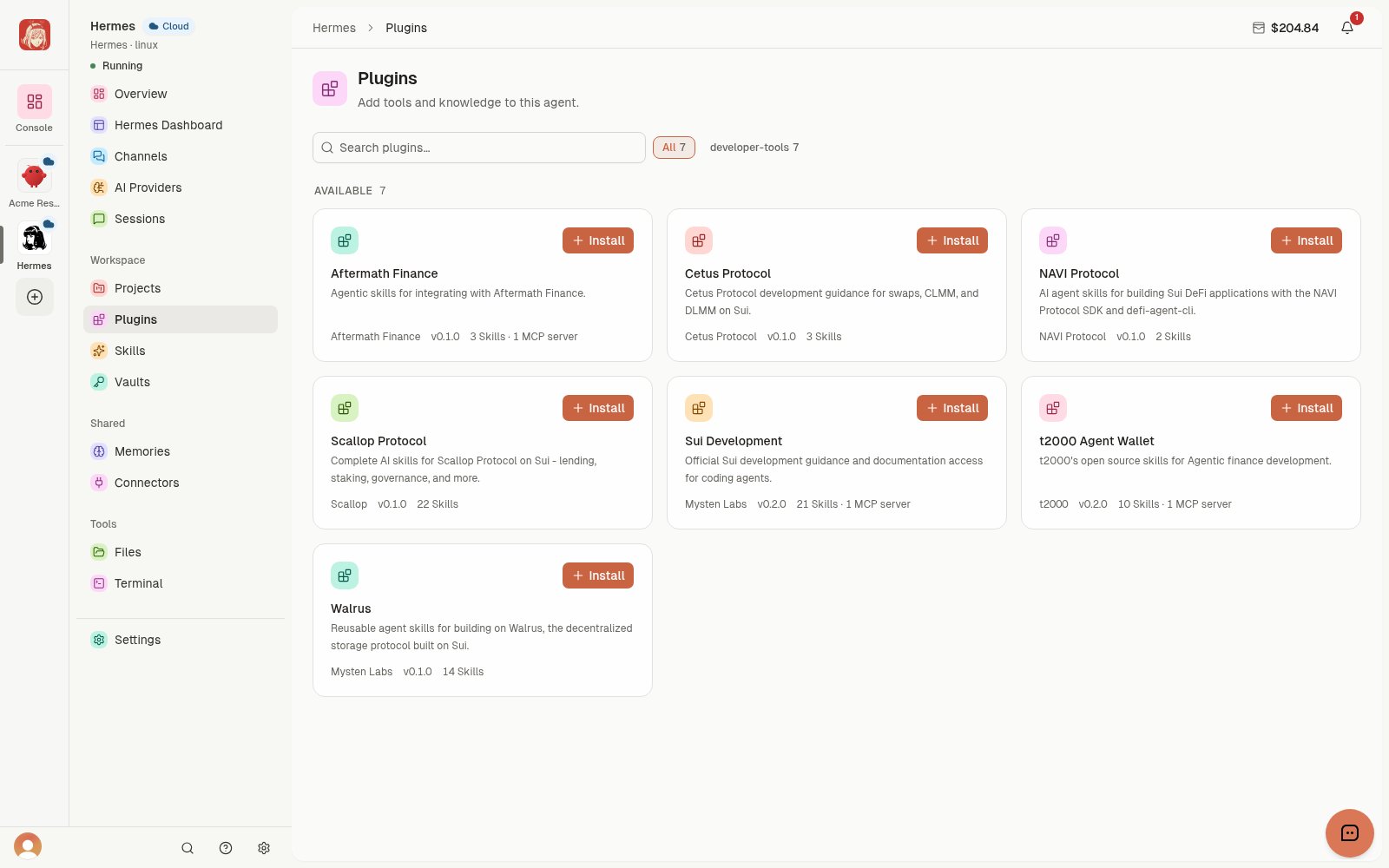 *Browse packages before deciding which tools your Agent needs.* [View full-size image](/images/demo-plugins-list.webp)
## Review and install
1. Check the publisher, version, and description.
2. Review the included **Skills** and **MCP servers**. MCP servers provide
connections to tools and information the Agent can use.
3. Choose **Install** when you trust the package and need its capabilities.
4. Wait for the page to show the installation result. Resolve any displayed
setup request or error before using the Plugin.
*Browse packages before deciding which tools your Agent needs.* [View full-size image](/images/demo-plugins-list.webp)
## Review and install
1. Check the publisher, version, and description.
2. Review the included **Skills** and **MCP servers**. MCP servers provide
connections to tools and information the Agent can use.
3. Choose **Install** when you trust the package and need its capabilities.
4. Wait for the page to show the installation result. Resolve any displayed
setup request or error before using the Plugin.
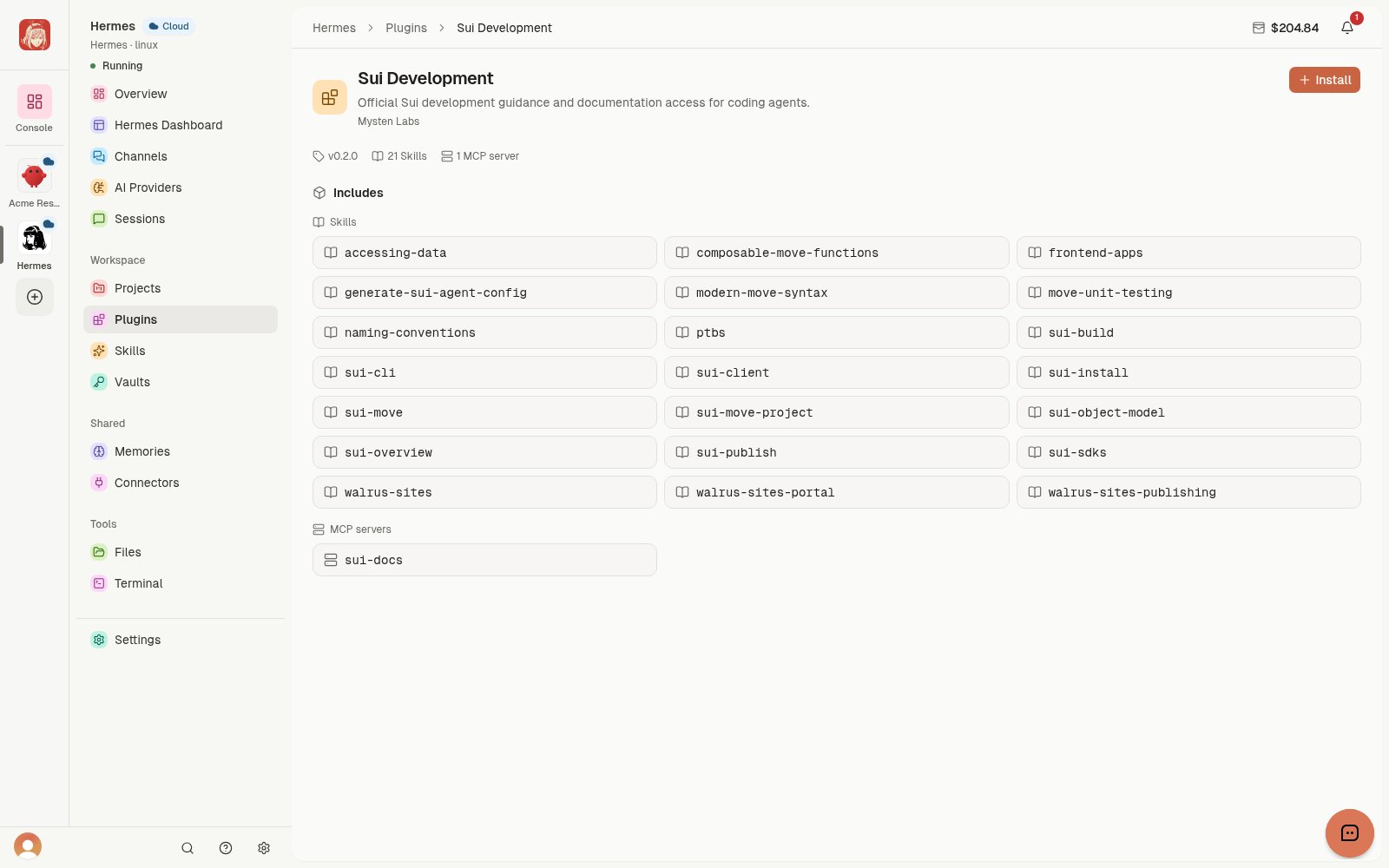 *The detail page shows what the available package includes before installation.* [View full-size image](/images/demo-plugins-sui-detail.webp)
These demo screens show available packages. Installation and a successful
task are separate steps. After setup, try a small, low-risk task and review
the result before granting access to sensitive work.
Use [Skills](/guides/skills) for reusable instructions, or
[Connect an app](/guides/workflows/connect-an-app) to connect an account you
already use.
*The detail page shows what the available package includes before installation.* [View full-size image](/images/demo-plugins-sui-detail.webp)
These demo screens show available packages. Installation and a successful
task are separate steps. After setup, try a small, low-risk task and review
the result before granting access to sensitive work.
Use [Skills](/guides/skills) for reusable instructions, or
[Connect an app](/guides/workflows/connect-an-app) to connect an account you
already use.